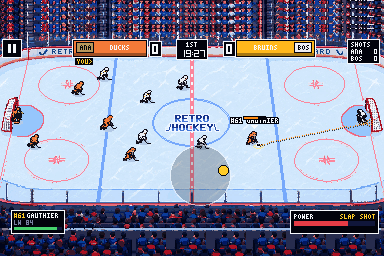
Skill-stick shooting
Hold to aim and watch the trajectory. The longer and redder the line, the harder the shot. Pull back and push forward for a slap shot.
Retro arcade ice hockey with 32 teams and 800 players in the Retro Hockey League. Wind up slap shots, line up hits on the boards, and take a team from last place to the cup in career mode.
Play link to share: retrohockey.pages.dev/play
SLAP SHOT
Every player has their own ratings, and the game plays by the full rules: offsides you can see coming, icing, penalties and power plays, overtime and shootouts.
Hold to aim and watch the trajectory. The longer and redder the line, the harder the shot. Pull back and push forward for a slap shot.
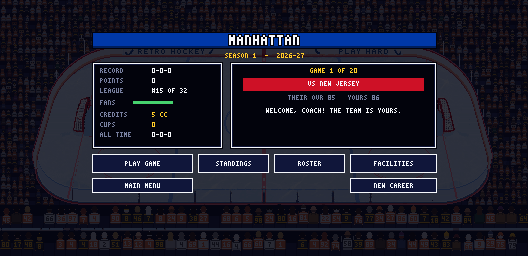
Coach one team season after season: play your games, sim the rest of the league, earn credits for facilities, draft prospects and chase the cup.
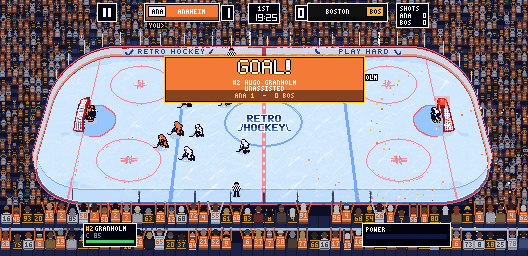
Hundreds of fans, every one different, in their team's colours. Score and your fans leap up; the other side slumps. Lose and they head for the exits.
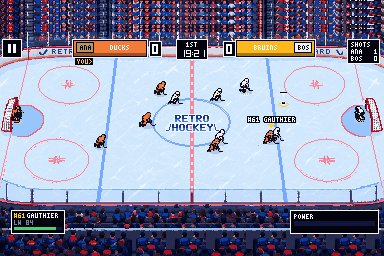
They square up, shuffle, drop into the butterfly, hug the post and skate out to play the puck. Catch one and you have 2 seconds to move it.
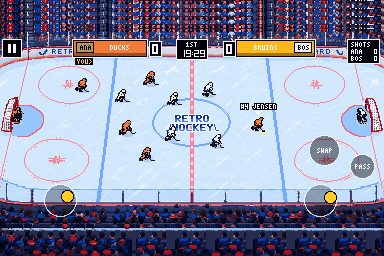
Left stick skates, right stick shoots and hits, a tap passes. Add it to your iPhone home screen and it runs fullscreen.
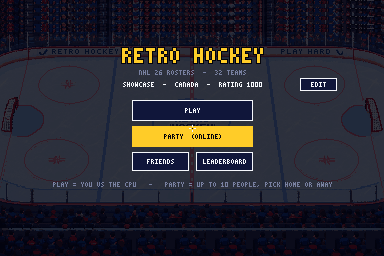
Pick any two of the 32 teams and a difficulty and drop the puck. Players tire as the game goes on and get their legs back each intermission.
Same game everywhere: on your PC, in a browser, or on your iPhone home screen.
A single portable .exe. No installer; double-click and play. Keyboard and mouse.
Download .exeRuns in Chrome, Edge, Safari or Firefox. Nothing to install.
Open the web gameNo tutorial; this is all of it.
| WASD | Skate · SHIFT to sprint |
| Right click + drag | Shoot: the drag is a joystick, further = harder |
| Left click + drag | Pass the same way · a plain click passes to the teammate you skate toward |
| No puck | Left click poke-checks · right click or Q hits · skate into someone to hit them |
| E | Swap to the player closest to the puck |
| SPACE | Deke · F fullscreen · ESC pause |
| Left stick | Skate · push it all the way to sprint · also picks who you pass to |
| Right stick, hold | Aim with the trajectory showing, let go to shoot |
| Right stick, back then forward | Slap shot |
| Right stick, tap | Pass · without the puck: tap to poke, flick to hit |
| PASS / SWAP | Hold PASS for a saucer · SWAP jumps to the closest player |
Straight from the game at native resolution (528 × 256), scaled up with crisp pixels.